Skip to main content
elementelectronics.com
Help Center
elementelectronics.com
Submit a request
Sign in
Customer Experience
Troubleshooting Steps
Smart TV Troubleshooting
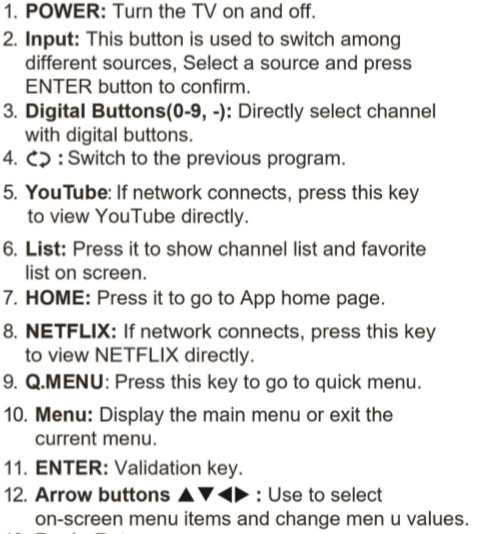
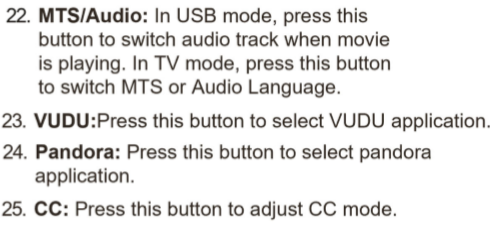
Remote Control: Functions and Features. Model: [E4SFT5517H/E4SJ6519]
June 17, 2020 14:37
Articles in this section
Adding Apps: How to download additional Apps on Element Smart TV? Model ELSFT5517/E4SW5518/ELST3216H/ELST4017/ELST4316S/ELST5016S/E2SW5018/E4SFT5517H/E4SJ6519
MAC Address: How to get the TV MAC Address
Blank Screen: Model ELSFT5517/E4SW5518/ELST3216H/ELST4017/ELST4316S/ELST5016S/E2SW5018/E4SFT5517H/E4SJ6519
Picture Issue: TV has sound but no picture? Model ELSFT5517/E4SW5518/ELST3216H/ELST4017/ELST4316S/ELST5016S/E2SW5018/E4SFT5517H/E4SJ6519
Cable Box Setup: Model E4SFT5517H/E4SJ6519
Cable Channel Scan: How to scan Cable Channels? Model: E4SFT5517H/E4SJ6519
Cable box Setup: Model ELST3216H/ ELST4017/ELST5016S/E2SW5018/ ELST4316S/ E4SFT5517/E4SW5518
Cable Channel Scan: How to scan Cable Channels? Model ELST3216H/ ELST4017/ELST5016S/E2SW5018/ ELST4316S/ E4SFT5517-E4SW5518
Lock Settings: How to change the TV Lock settings? Model: [E4SFT5517H/E4SJ6519]
Lock Settings: How to change the TV Lock Settings? ELSFT5517/E4SW5518/ELST3216H/ELST4017/ELST4316S/ELST5016S/E2SW5018
See more
Powered by Zendesk